How to implement a star rating component in ReactJS

Define a component, called, Star that will render each individual star with the appropriate appearance, based on the parent component's state. In the StarRating component, use the React.setState() hook to define the rating and selection state variables with the initial values of props.rating (or 0 if invalid or not supplied) and 0. Create a method, hoverOver, that updates selected and rating according to the provided event. Create a <div> to wrap the <Star> components, which are created using Array.prototype.map on an array of 5 elements, created using Array.from, and handle the onMouseLeave event to set selection to 0, the onClick event to set the rating and the onMouseOver event to set selection to the star-id attribute of the event.target respectively. Finally, pass the appropriate values to each <Star> component (starId and marked).
Here are some code samples:
Star.js
import React from "react";
import "./App.css";

function Star({ marked, starId }) {
  return (
    <div className="App">
      <span
        className="starStyling"
        star-id={starId}
        style={{ color: "#ff9933" }}
        role="button"
      >
        {marked ? "\u2605" : "\u2606"}
      </span>
    </div>
  );
}

function StarRating(props) {
  const [rating, setRating] = React.useState(
    typeof props.rating == "number" ? props.rating : 0
  );
  const [selection, setSelection] = React.useState(0);
  const hoverOver = (event) => {
    let val = 0;
    if (event && event.target && event.target.getAttribute("star-id"))
      val = event.target.getAttribute("star-id");
    setSelection(val);
  };
  return (
    <div
      onMouseOut={() => hoverOver(null)}
      onClick={(event) =>
        setRating(event.target.getAttribute("star-id") || this.state.rating)
      }
      onMouseOver={hoverOver}
      className=""
    >
      {Array.from({ length: 5 }, (v, i) => (
        <Star
          starId={i + 1}
          key={`star_${i + 1}`}
          marked={selection ? selection >= i + 1 : rating >= i + 1}
        />
      ))}
    </div>
  );
}

export default StarRating;
index.js
import React from "react";
import ReactDOM from "react-dom/client";
import StarRating from "./Star";
import "./index.css";

const root = ReactDOM.createRoot(document.getElementById("root"));
root.render(
  <div className="indexStyle">
    <StarRating rating={2} />
  </div>
);
Star.css
div{
  display: flex;
}
index.css
.indexStyle{
  display: block;
margin-top: 20%;
  margin-left: auto;
    margin-right: auto;
  background-color: #311515;
}
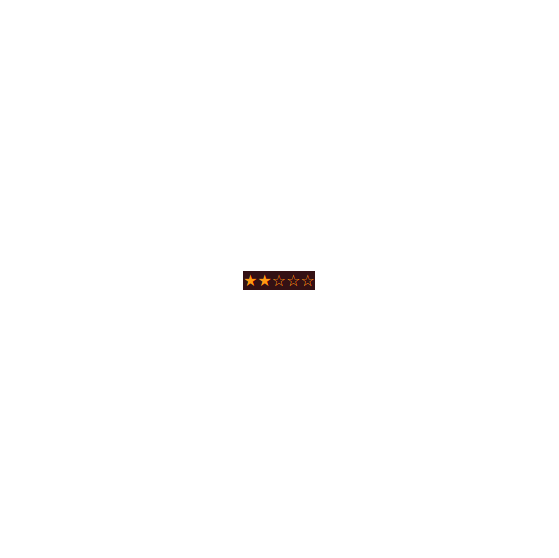
Here is the screenshot of the output:
Thanks for reading...
Happy Coding!